Excel's and Word's tabs
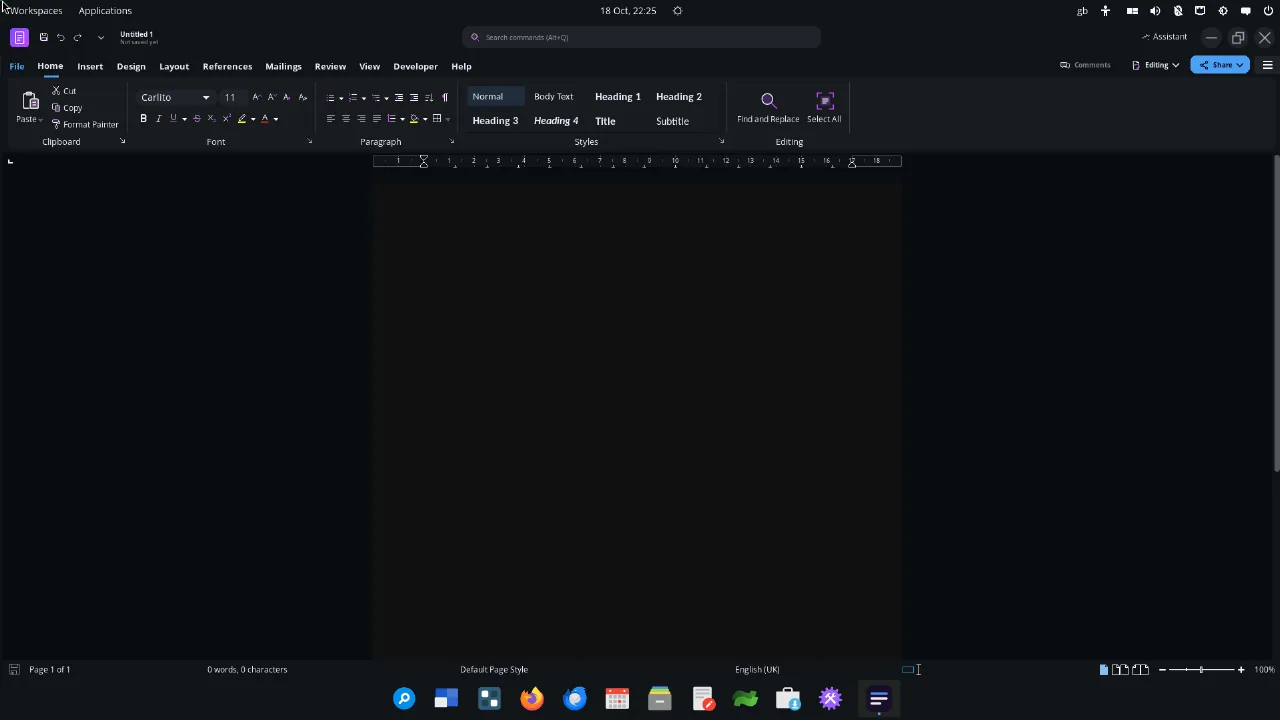
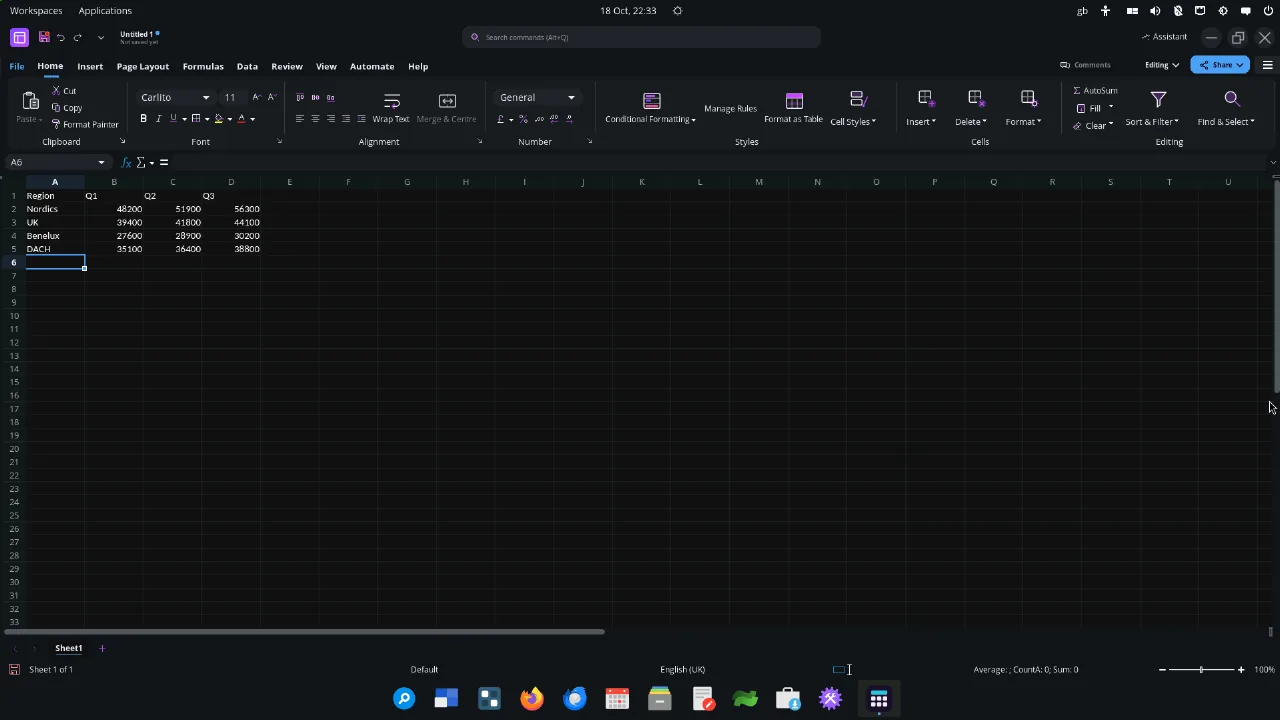
In the previewSpreadsheets have Home, Insert, Formulas, Data, Review and View. Documents have Home, Insert, Layout, References, Review and View, with each group in Microsoft's order.


Metricito Office
Metricito Office is based on LibreOffice from The Document Foundation. We rebuild it ourselves on LibreOffice's newest branch, give it Microsoft 365's layout, and add the features power users miss when they switch.
What's in it
| Documents (Writer) | For Word users. Opens and saves .docx by default |
|---|---|
| Spreadsheets (Calc) | For Excel users. Opens and saves .xlsx by default |
| Presentations (Impress) | For PowerPoint users. Opens and saves .pptx by default |
| Drawings (Draw) | Diagrams, flyers and PDF editing |
| Version | 26.8, based on LibreOffice, with Metricito patches |
Mail and Calendar, set up for Microsoft 365 accounts, are separate apps on the dock.
Familiar from the first click
Spreadsheets have Home, Insert, Formulas, Data, Review and View. Documents have Home, Insert, Layout, References, Review and View, with each group in Microsoft's order.
Press Alt to see KeyTips with the same letters as Excel and Word, so Alt, H, B still reaches the borders.
The suite follows the desktop's dark or light mode and accent colour. The page itself can stay white in dark mode, like Word's page colour.
No welcome screens, donation bars or "keep current format?" questions. Files save as .docx, .xlsx and .pptx.
For Excel power users
Each feature below is checked against real Excel: a workbook is made in Excel, opened in Metricito Office, saved, and opened in Excel again.
Base items, repeated data fields, "show values as" settings and repeated row labels round-trip to Excel. These are fixes LibreOffice itself does not have yet.
Slicers from Excel stay in the file through two saves, and their hidden-member filters apply, so totals match Excel. Clickable slicer buttons follow.
Type the pattern once and the column fills itself, as in Excel, with undo and correct handling of accented letters.
XLOOKUP, FILTER, SORT, UNIQUE, LET and the other dynamic-array functions your Excel sheets use.
Progress
Our feature list maps 422 Excel, Word and PowerPoint features to Metricito Office, tab by tab. It is updated with every Office build.
| On the ribbon today | 217 |
|---|---|
| Present, only needs a button | 9 |
| Present, behaves differently | 95 |
| To build | 64 |
| Needs a server or AI | 37 |
"On the ribbon" means the button exists, not that it matches Microsoft's behaviour in every detail. Next on the list: Excel Tables, a Power Query-style data tool, modern charts, and co-editing.
Safe by default
Macros run only when a document is signed by someone you trust. Everything else shows a bar, not a one-click "Enable" button.
The interface is native, so there is no built-in web engine to keep patched.
Office fixes are moving to Metricito OS's signed update channel, hosted in the EU. Until then they come with each new image.
A planned Assistant uses your own key, subscription or a local model. One switch turns every AI feature off.